
 EN
EN  UA
UA NO
NO RU
RU SV
SV DE
DE FR
FR TH
TH TR
TR DA
DA ES
ES PL
PL PT
PT LV
LV LT
LT ET
ET
Chapter1 Product Assembly and Flushing
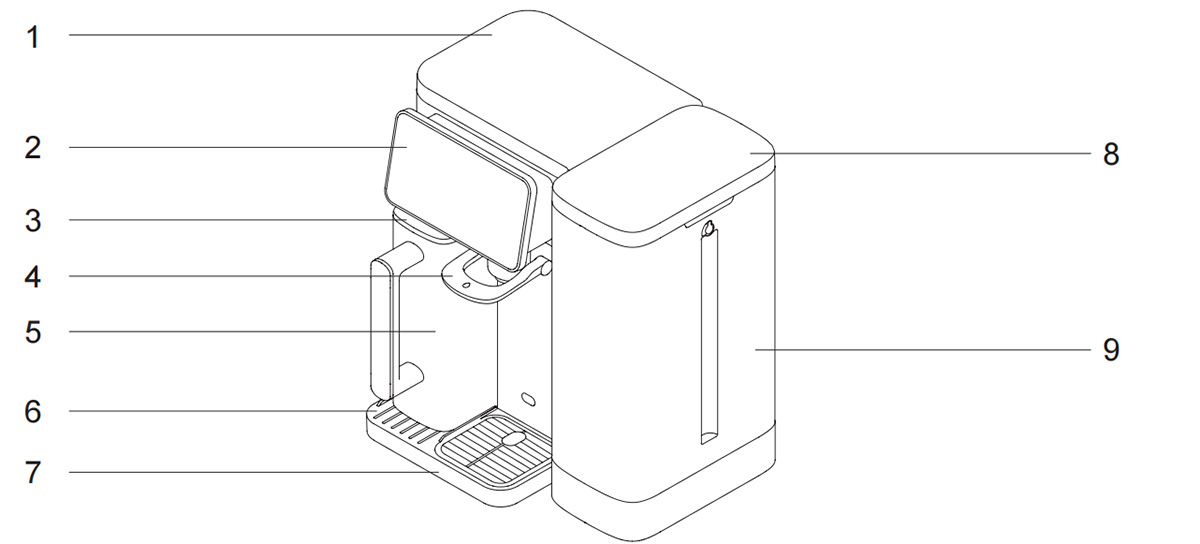
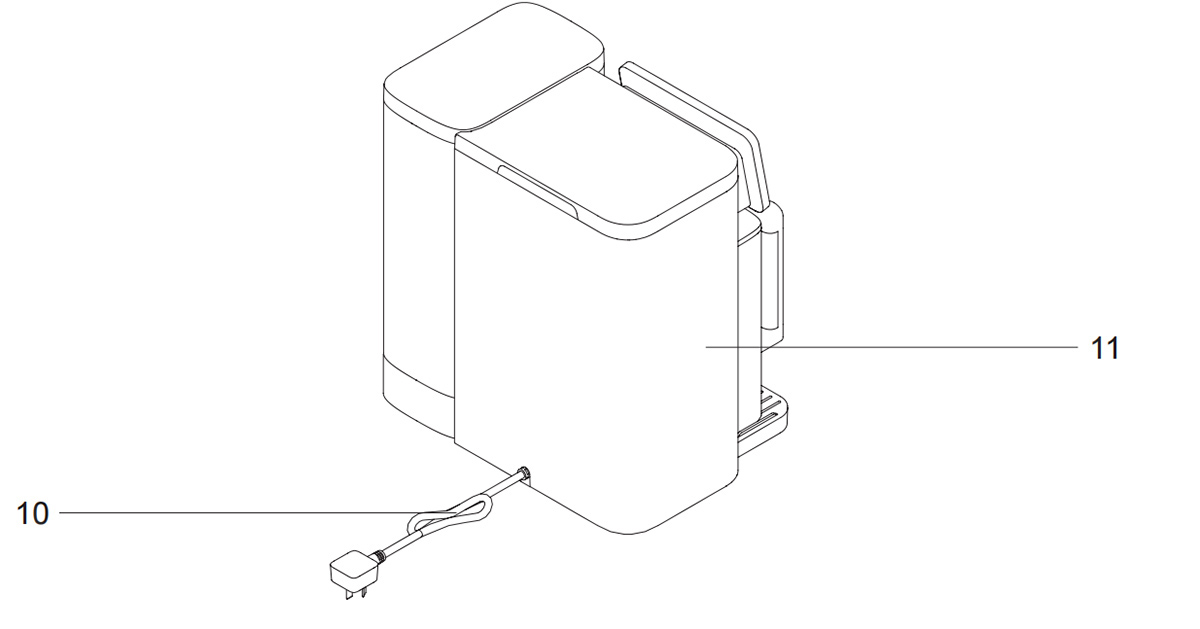
Parts Name
Check if all parts are included. Contact us via email: support@jimmyglobal.com if there is any part missing or damaged.Keep the outer packing for future transportation.

Packing List

Placement position
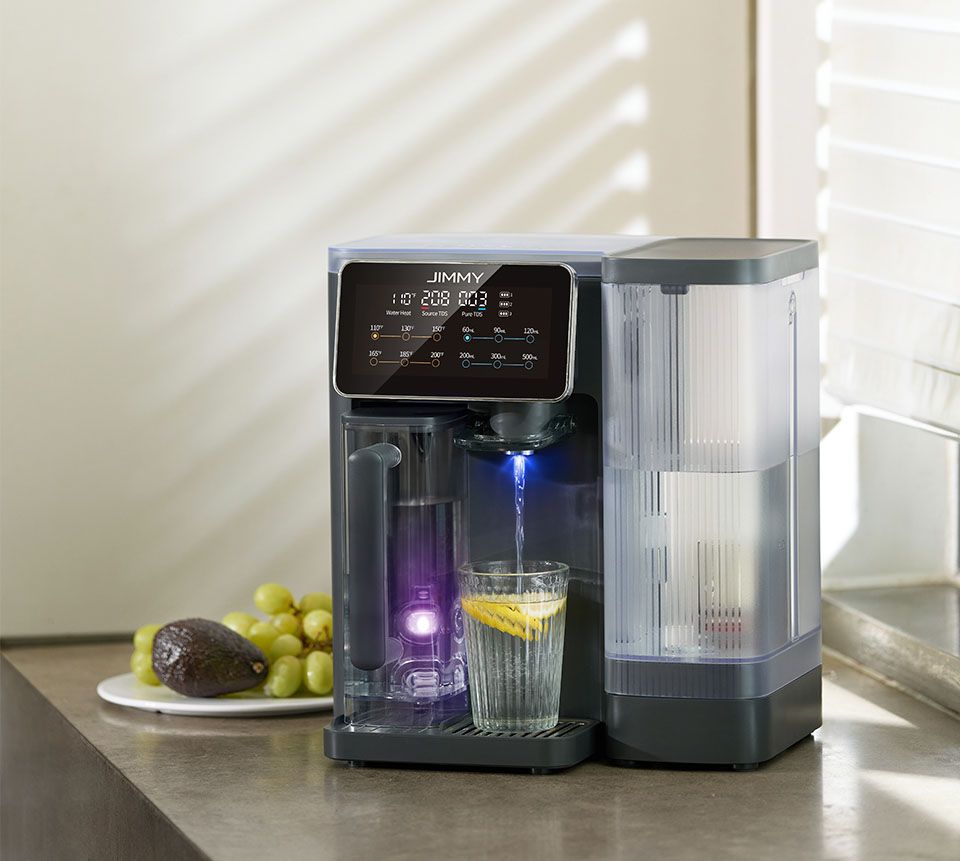
The water purifier must be placed on a smooth, firm and dry table. Do not place the machine in direct sunlight or places with a lot of oil and smoke which will affect the appearance of cleanliness.
New machine inspection
Take out the machine and all accessories, remove upper cover, raw water tank cover, raw water tank, pure water cup and place the machine for 8 to 12 hours and then put all parts back.


Connect the power supply
Before inserting the power cable plug into the power socket, please ensure that the power supply is 120V~ and the rated current of the socket is not less than 15A. Keep the power plug and hand dry.
Flushing before first use
Step 1 Fill raw water tank
Remove raw water tank cover, hold the handle of the raw water tank and lift it upward. Fill the raw water tank with municipal tap water up to below handle and put it back to machine.

Step 2 Water purification start
Connect device to power supply to start purifying water, the water purification indicator “ ” lights up, when the water purification light goes out , it means that the water purification is completed.
Step 3 Drain pure water cup
1. Empty pure water cup and put it back to machine to continue purifying. After pure water cup is full, empty it again. After emptying pure water cup for 3 to 5 times, you can start using the water purifier.

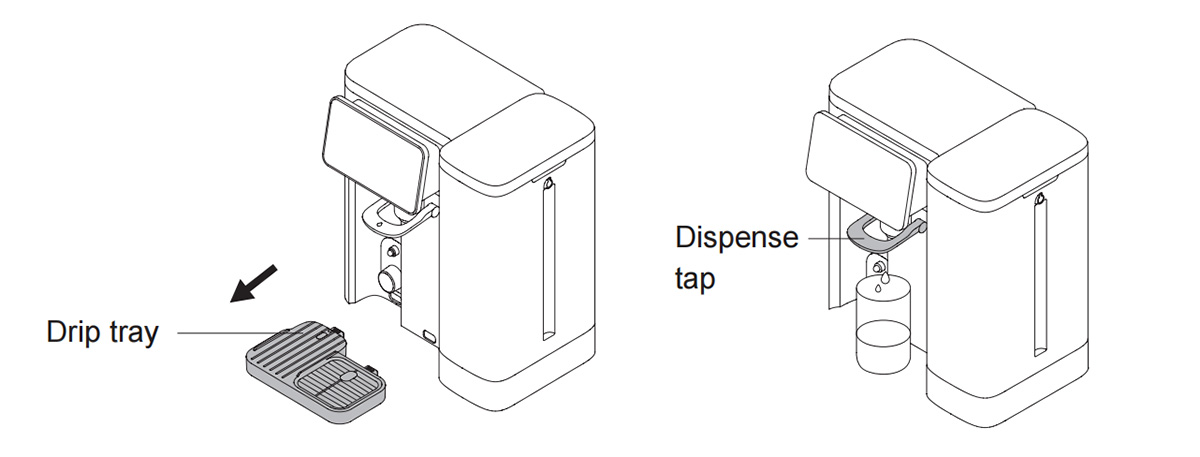
2. You can also remove pure water cup and drip tray, put a container larger than 3.5L under the water outlet, long press dispense tap for 5 seconds until the dispense tap light becomes green, to flush the filter and water path.
Note:
1. To ensure better use, leave the machine powered on even if it is long idled.
2. If the device hasn’t been used for more than 24 hours, it is recommended to drain 200 ℉ hot water for 5 seconds before using again.
3. When the device is turned on for the first time, At first purification process there will be large amount of bubbles discharged to raw water tank and raw water will become turbid. It is normal physical phenomenon and bubbles will disappear after standing for a few minutes. Device can be used normally.
Display indicator description and usage
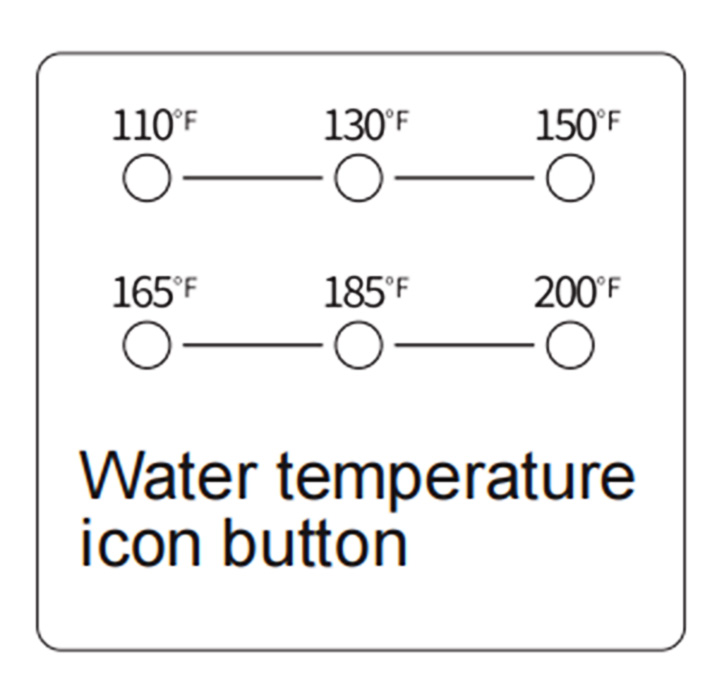
Temperature icon button
Touch the temperature icon to select water temperature. The water
temperature available is ambient temperature, 110 ℉ , 130 ℉ , 150℉ ,165 ℉ , 185 ℉ , 200 ℉ . In the process of dispensing water, when dispensing water at ambient temperature, the water dispensing light is blue. When dispensing hot water,the water dispensing light shows red. Stop dispensing water, the water dispensing light goes out. When flushing, the water dispensing light is green.
Note
The machine is equipped with plateau mode, when taking 200 ℉ hot water, if the temperature cannot reach 200 ℉ after 20 seconds, the plateau will be automatically turned on to adjust the water temperature. If the altitude of the use environment is more than 1500 meters, it is not recommended to use 200 ℉ hot water at this time, there may be steam spraying, please be careful of scalding.
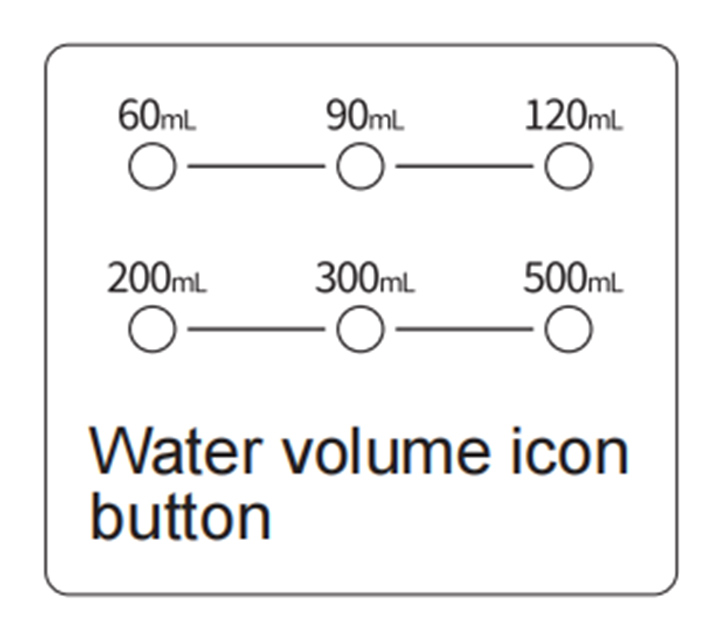
Water volume icon button
Touch water volume icon button to select fixed water volume to get. The fixed water volume can be selected from 60mL, 90mL, 120mL, 200mL, 300mL and 500mL.
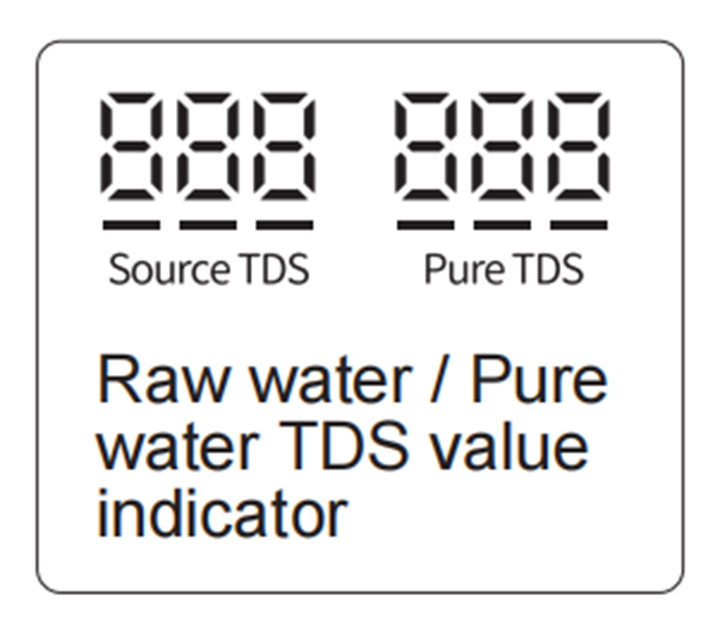
Raw water / Pure water TDS value indicator
TDS (Total Dissolved Solids) is a general value for inorganic salts and heavy metals dissolved in water. It represents the amount of impurities dissolved in water. Normally the lower the TDS value, the purer the water is. Raw water TDS value: Indicates the TDS value of the water in the raw water tank when it is not filtered by RO membrane of the device. Pure water TDS value: indicates the pure water TDS value after the raw water is filtered by RO membrane of the device.
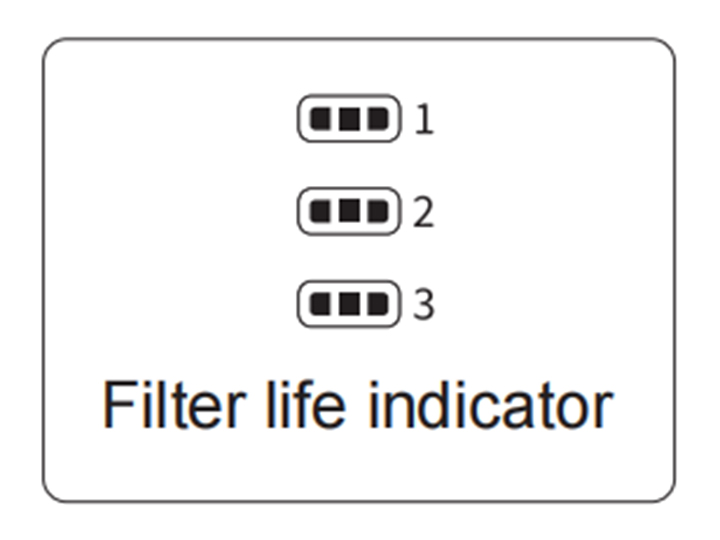
Filter life indicator
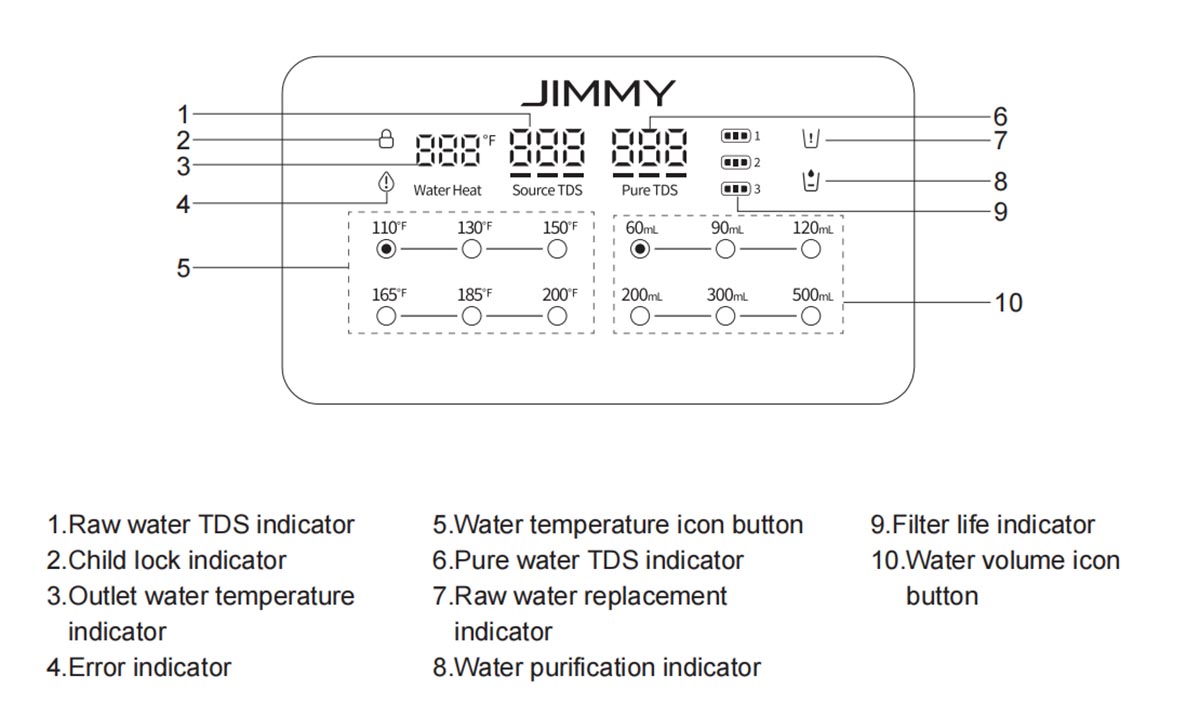
Filter life indicators 1, 2, 3 represent the service life of the 1st, 2nd and 3rd stage filters respectively. Each indicator has 3 cells. The more cells the indicator lights on, the longer the remaining life of the filter. If the indicator light goes out, it means that the service life of the corresponding filter has expired and the filter needs to be replaced.
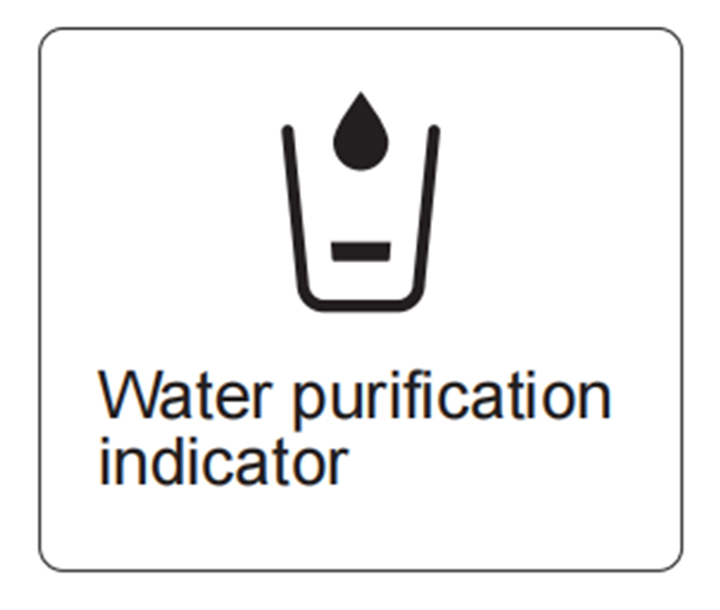
Water purification indicator
After the power is powered on, the water purification indicator on the display screen shows “ ”. When the water purification starts, the water purification indicator shows “
 ”. As the water level in the pure water cup rises, the water purification indicator will display one cell water level “
 ”. When the pure water cup is full, the display light goes out and water purification stops. When the pure water cup is not in place, the indicator “
 ” flashes, the device stops purifying.
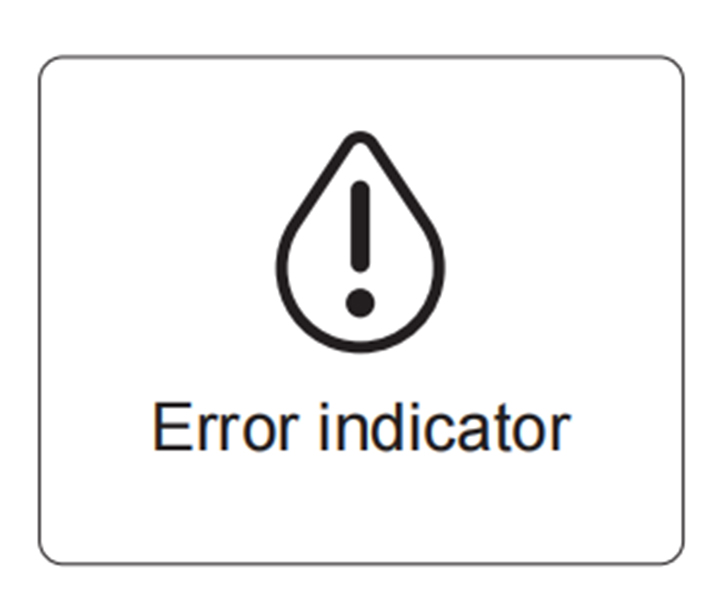
Error indicator
When the system detects error, the error indicator “ ” lights up, flashes and beeps for 10 seconds and corresponding error warning interface appears. Before the error is resolved, the device can not be used. As long as the button is touched, the error indicator “
 ” flashes again with beep for 10 seconds.
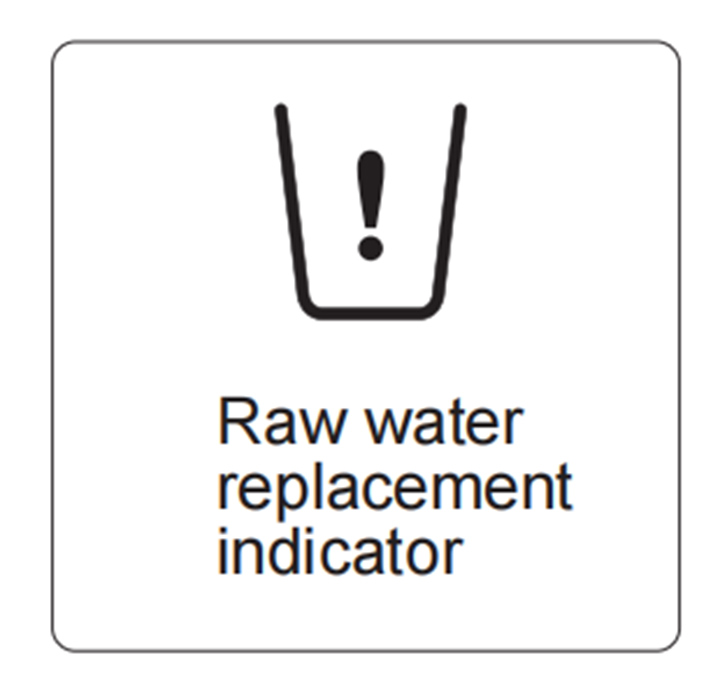
Raw water replacement indicator
When the raw water tank is not installed or the water level is below the minimum water level mark, the display shows “ ”. The device beeps for three time.
Note:
In the following situations, the raw water replacement indicator “ ” will light up, and the remaining water in the raw water tank must be emptied and the raw water must be refilled:
1. Raw water TDS value higher than “ 999 ", and the buzzer beeps.
2. Water level is below the minimum water level mark.
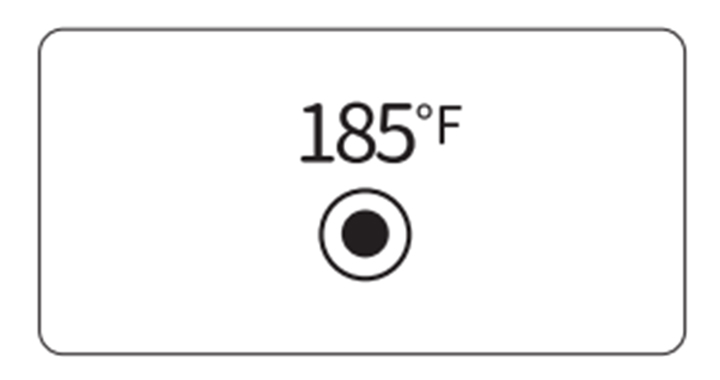
When the raw water TDS value is higher than “ 999 ”, the buzzer sounds to remind replacing raw water. Press and hold the “ 185 ℉ ” button for 5 seconds to cancel the alarm. Press and hold again to restore the reminder function.
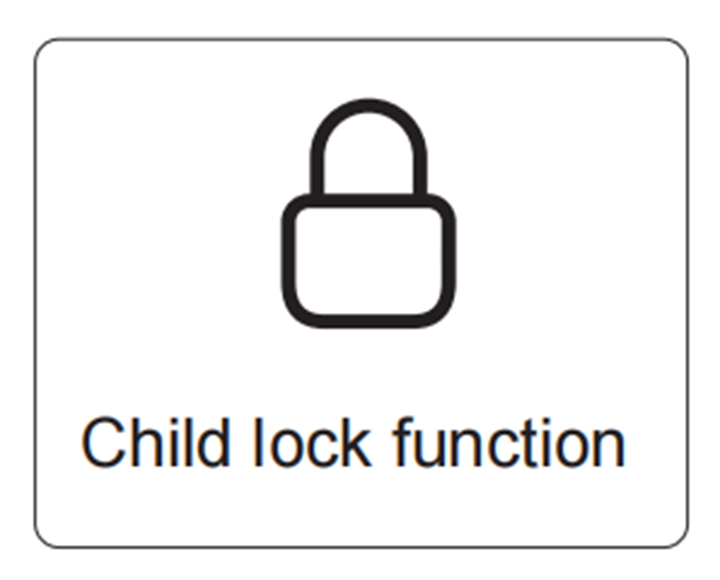
Child lock function
Child lock function is for preventing child to use the device. Press and hold the "60mL" icon button for 5 seconds, release after hearing a “beep” sound, the child lock icon lights up and the raw water TDS displays LOC. The device cannot dispense water or drain water. If you want to turn off the child lock function, press and hold the "60mL" icon button for 5 seconds, release when hearing a “beep” sound, the child lock icon will be turned off, the raw water TDS display resumes normal value. The child lock function is off by default.
Display screen energy saving mode
When the machine is not in use for 1 minute, the display will dim. Touch any button, the display will light up again and it can be used normally.
Chapter 2 Product use
Usage of device
Start up
Fill the raw water tank with water below the handle and install it in place. Plug in the power plug, the machine makes a beep sound and all the indicators on the display screen light up for about 1 second, and then enter into normal display state. The machine starts to purify water.
How to take water
Water purification icon shows “ ” or “
 ”, water cannot be dispensed. When water purification icon shows “
 ” or “
 ” or goes out, water can be dispensed by pressing dispense tap.
Take ambient temperature water
Press dispense tap directly to take ambient temperature water, the dispense tap light becomes blue, press the tap again to stop taking water.
Take hot water
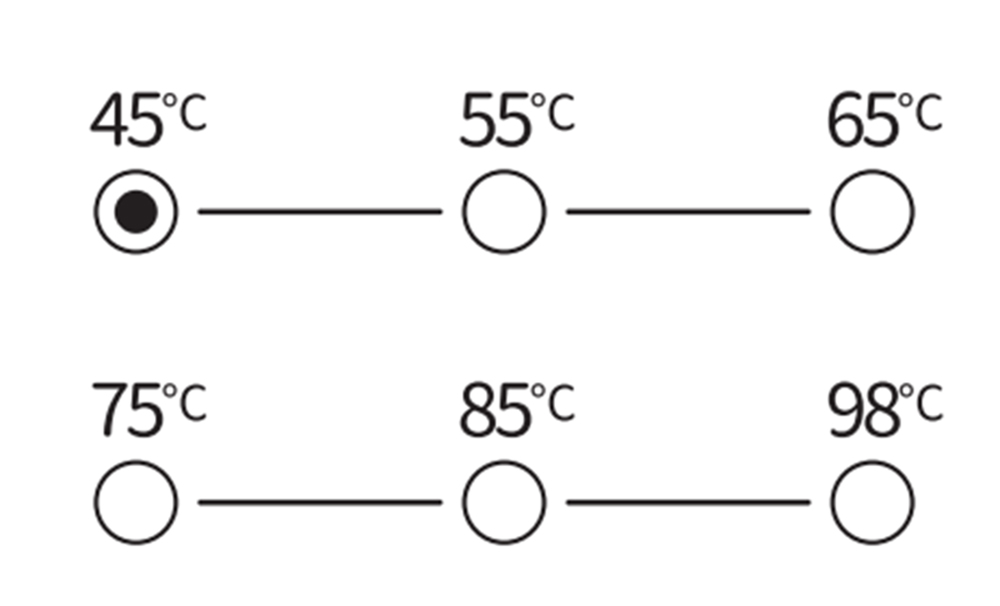
First touch the temperature icon on display screen to select water temperature. The temperature can be selected from 45℃ ,55℃ ,65℃ ,75℃ ,85℃,98℃ . Press dispense tap to take water of the chosen temperature, the dispense tap light becomes red. Press the tap again to stop taking water.
Customize water volume
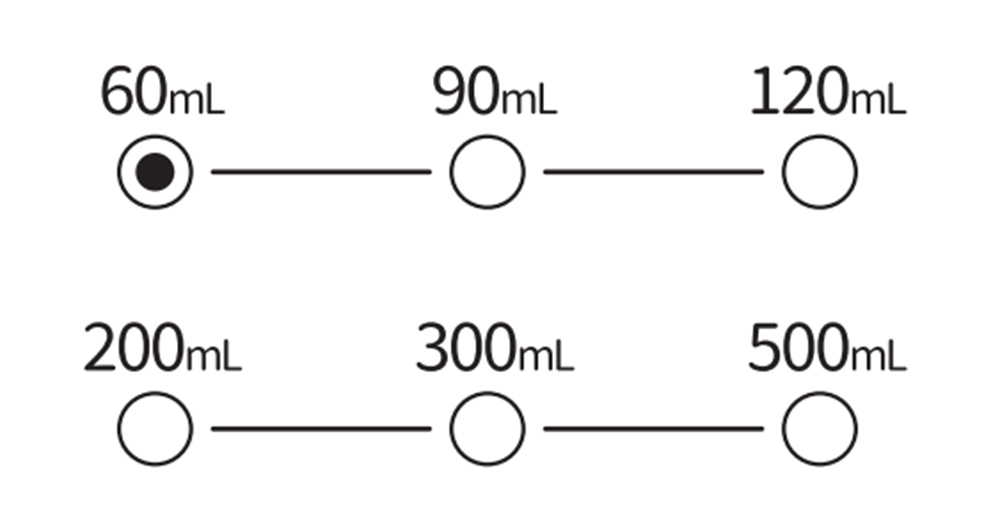
Touch the water volume icon to select the water output volume, which can be selected as 60mL, 90mL, 120mL, 200mL, 300mL, 500mL, press dispense the dispense button to dispense water of specified volume.
Replace raw water
When the display screen shows “ ” , empty the remaining water in the raw water tank, fill the raw water tank with water up to below the handle.
Flushing
If the product is idled for more than 72 hours, need empty three cups of pure water or use flushing function. Press and hold the dispense tap for 5 seconds and loose after hearing the “ beep ” sound, and the dispense tap light turns green, The device enters flushing mode. In this mode, only the water purification light flashes. Water comes out of dispense mouth and stops when pure water cup is empty. You can terminate flushing by pressing dispense tap. After flushing stops, display screen automatically resumes user interface.
Chapter 3 Cleaning and Maintenance
Clean water tank and water cup
1Unplug the power plug and remove the raw water tank and pure water cup.
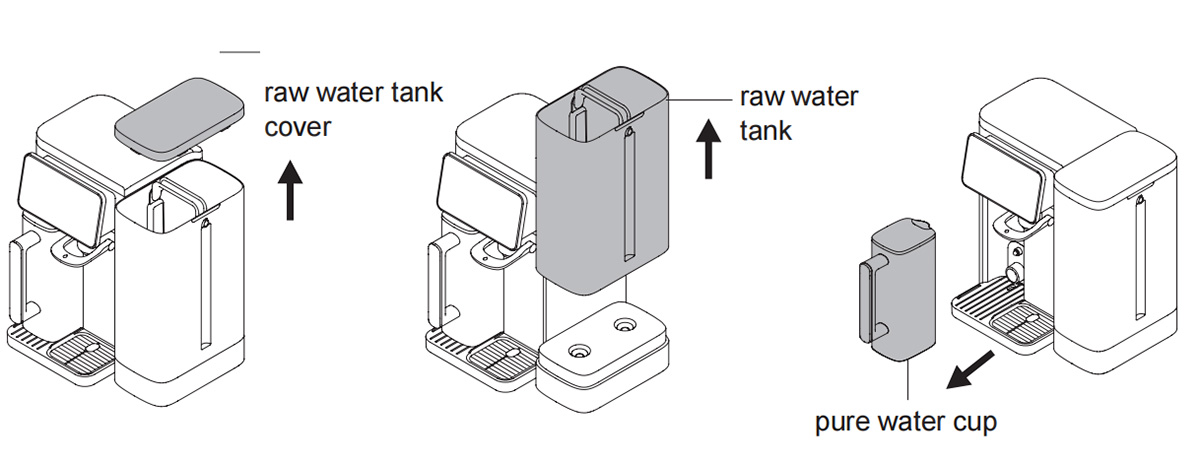
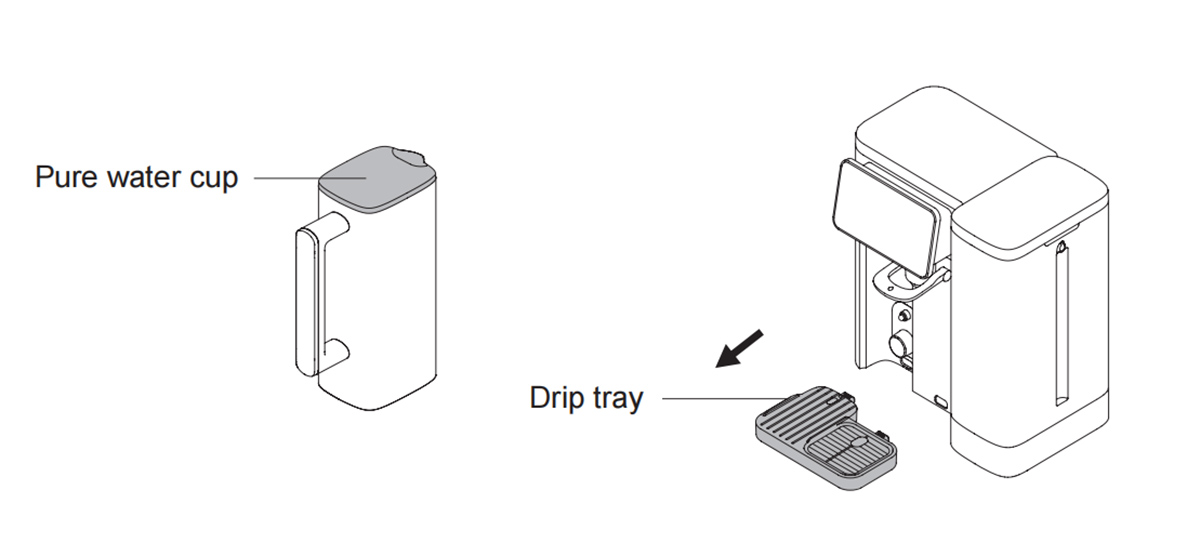
2. Wash the raw water tank, pure water cup and pure water cup cover. Wipe the inner surface of the pure water cup and the cup cover with clean soft cloth. Take out drip tray as indicated in the picture and empty the water inside drip tray.
Filter replacement
Filter life description
When the filter life indicator becomes from “ ” to “
 ” and the machine beeps for 10 seconds each time you take water, the filter needs to be replaced. If the filter is not replaced regularly, the water quality after purification may be reduced. The replacement cycle of the filter varies depending on the quality of water source and the amount of water consumed.
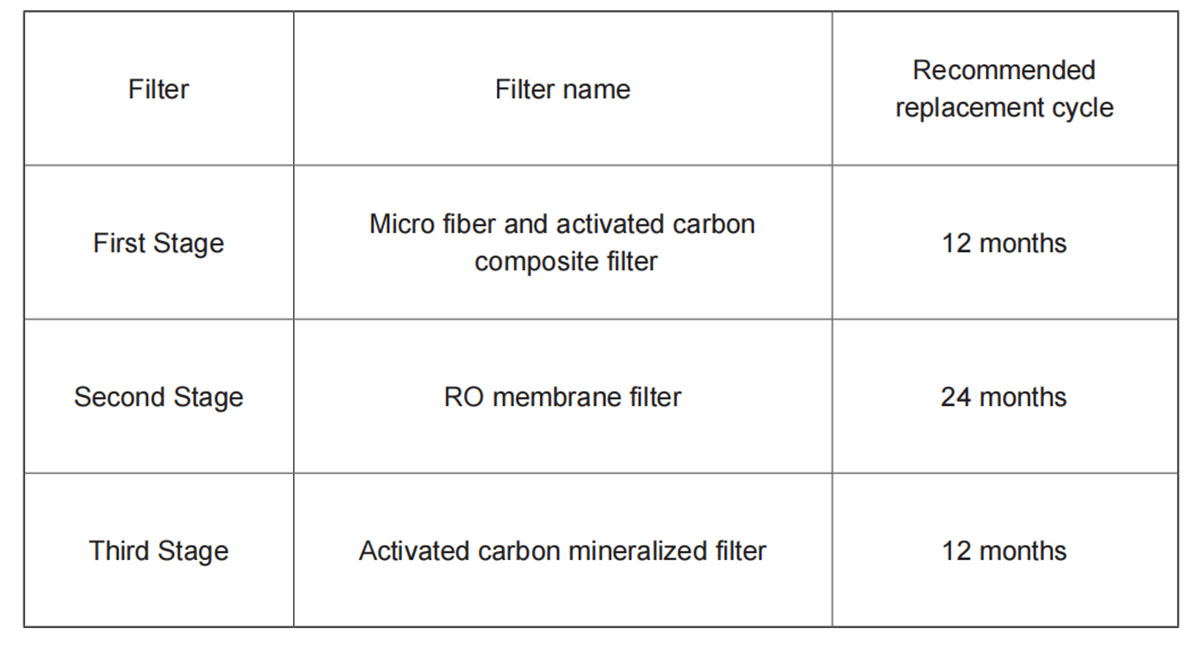
Notes:
1. The filter replacement cycle described above does not refer to the quality assurance period of the filter, but the expected life of the filter to maintain its original performance. In areas with poor water quality or in the case of high water consumption, the filter replacement cycle will be shortened.
2. Activated carbon mineralized filter improves water taste. If water taste becomes worse, it is recommended to replace this filter immediately.
3.Please purchase filter from official channels, if you buy non-genuine filter, the damage caused will not be guaranteed.
Filter replacement method and filter life indicator reset
Step 1. Power off the whole machine, remove raw water tank and top cover of the purifier, twist the filter to unlock position according to the instructions on the machine and lift out the filter.
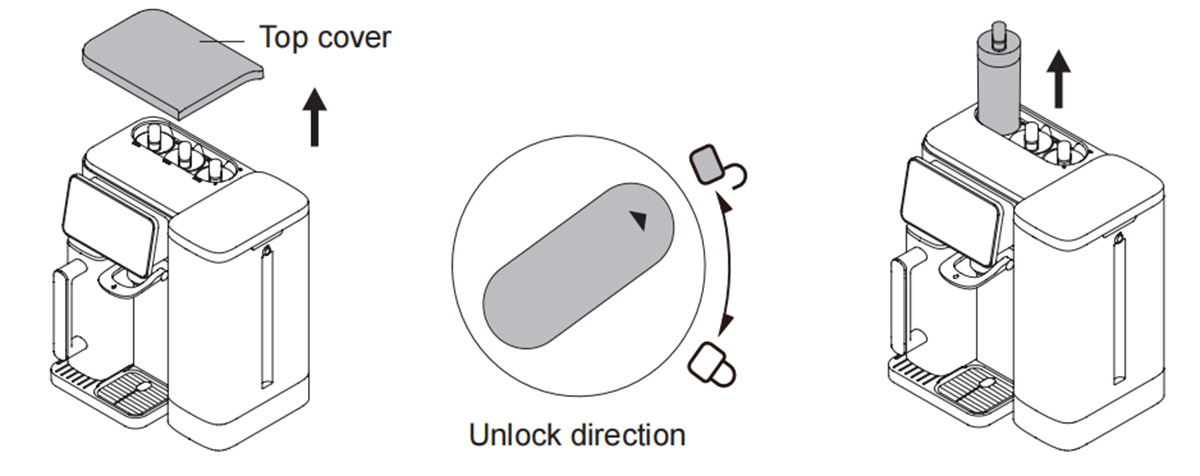
Step 2. Place the new filter by pointing the arrow down and twist the filter from the unlock direction to the lock direction.
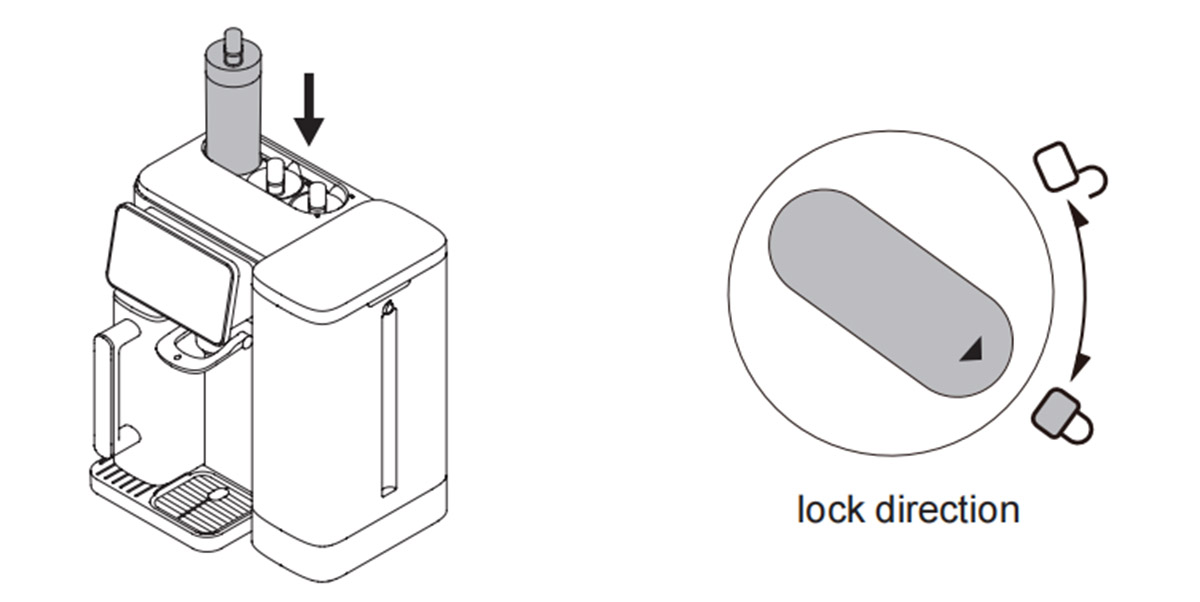
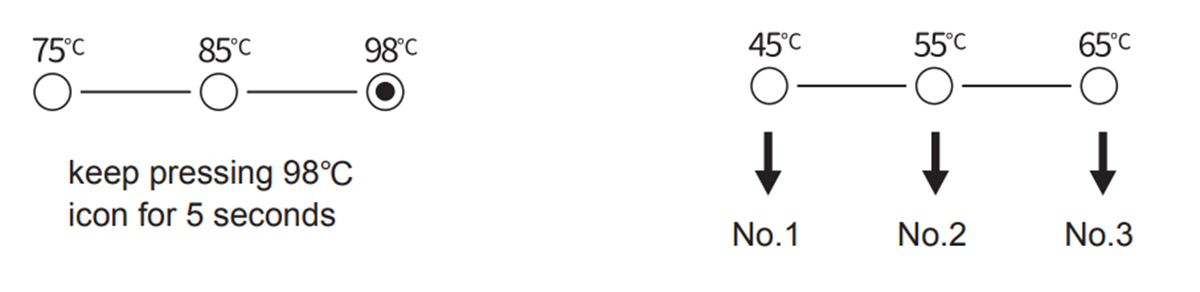
Step 3. After power on, first keep pressing 98℃ icon for 5 seconds, No 1, 2, 3 filter life indicator start to flash( If user does not carry on next step operation, the flashing will stop after 10 seconds). At this time, keep pressing 45℃ for 5 seconds and No.1 filter life resets, keep pressing 55℃ for 5 seconds and No.2 filter life resets, keep pressing 65℃ for 5 seconds and No.3 filter life resets. After filter life resets, the corresponding filter life indicator resumes full “ ” states.
Step 4. After replacing the filter, please refer to the steps of flushing before use in “ Product Assembly ” and empty the pure water cup for three times to complete the flushing of the new filter.